
You will collect tasks directly into Nozbe in two ways:
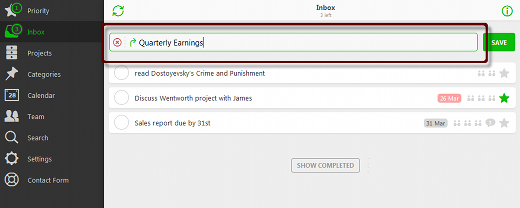
1. Add tasks directly:
- Click
 or
or  (left pane).
 - Click
 (bottom right).
 - Populate
 with the task’s name.
 - Click
 or press Enter.
2. Send actions to Nozbe:
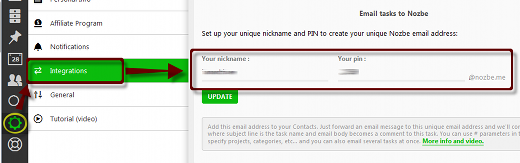
- To know or set your Nozbe email:
- Click
 or
or  (left pane).
 - Click
 (Integrations).
- Click
Recent Comments