
In Wrike, manually move a task in the Do Today list:
- Click on task.
- Click
 (top), or
  (if at least one context or soft date had previously been assigned).
 - Type
A-Do Today in , or select from the list provided.
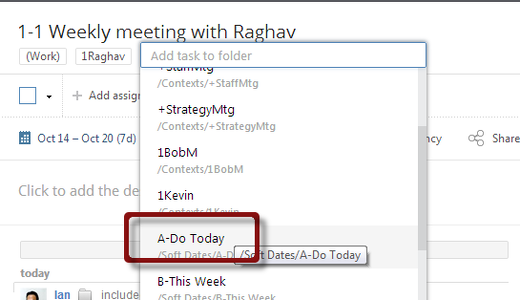
Note: when flagging tasks as Do Today, Don’t drag and drop tasks to  . This removes all previously assigned contexts.
Recent Comments