
Use this method only for the very largest projects. Most people have only one or two projects this big.
There are two ways to create a project in Nozbe:
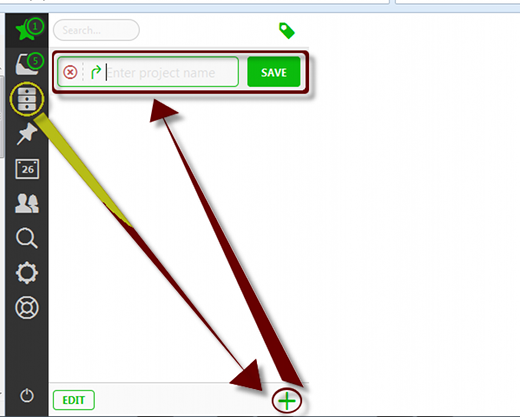
Directly create a project:
- Click
 or
or  (left pane).
 - Click
 (bottom).
 - Populate
 with the project name.
 - Click
 or press Enter.
Create a Project
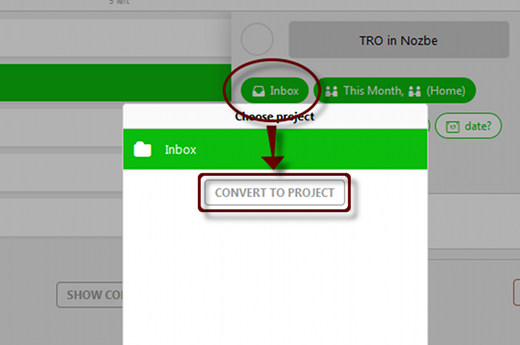
Turn an action into a project. To do this:
- Click the task.
- Click
 or button with project name.
 - Click
 .
.
Note: This would convert the task to a project, removing it from all task views and adding it to Nozbe’s project list ( or ) found at the left pane instead.
Convert Task to Project
Use the Project – Next Action format for naming items in the list.
Recent Comments